

#96: How to Secure SaaS Platforms That Were Designed for Productivity, Not Security
About Ben Wilcox
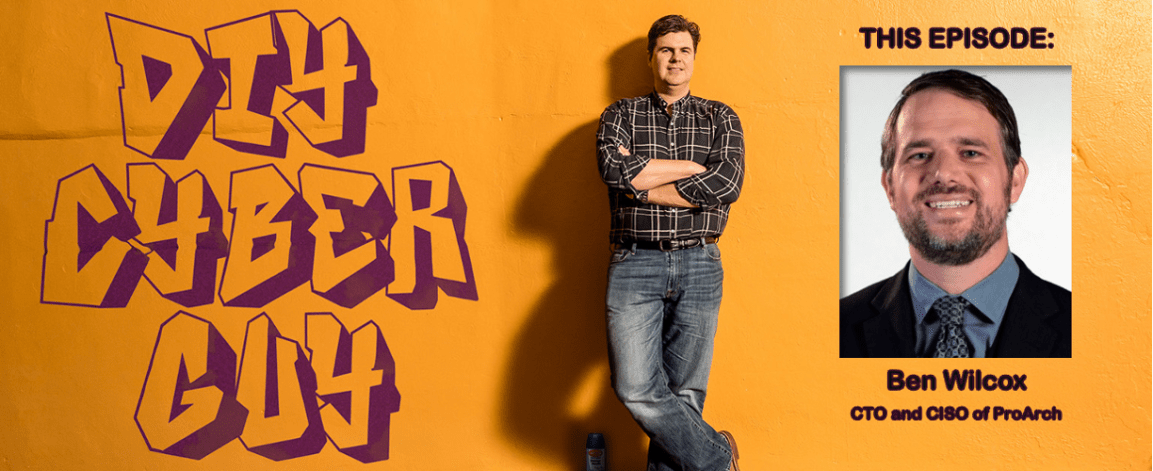
Ben Wilcox is the Chief Technology Officer and Chief Information Security Officer at ProArch, where his 25+ years of experience in technology and cybersecurity fuel his mission to help organizations transform and secure their operations. Known for his relentless drive and strategic mindset, Ben combines technical innovation with a hands-on approach to risk management, embedding cybersecurity best practices into the fabric of business culture. At ProArch, he partners with leaders to design scalable, compliant solutions that protect data, enable trust, and accelerate growth.
Ben’s Links
LinkedIn: https://www.linkedin.com/in/ben-wilcox/
Company Website: https://www.proarch.com
SUMMARY:
The interview reviewed an FBI advisory describing threat actors targeting Salesforce and similar SaaS/CRM platforms through misconfigurations, stolen credentials, third‑party integrations, and phishing rather than exploiting vendor platform vulnerabilities. Ben Wilcox explained that attackers leverage weak identity controls and compromised OAuth tokens to chain access across connected applications, creating a governance and visibility problem that enables data exfiltration without a single vendor breach.
The conversation then focused on defensive measures: inventory all web apps and integrations, identify and rotate service and OAuth tokens, and increase monitoring with tools such as Microsoft Defender for Cloud Apps. Practical, low‑cost mitigations were recommended, including enabling phish‑resistant authentication (Microsoft Authenticator, Windows Hello) or hardware keys like YubiKey, and applying conditional access controls to restrict access by device or IP. ProArch positioned itself to help operationalize Microsoft security—assisting with architecture, QA, and penetration testing—and offered ongoing support. The meeting closed with guest contact information (ProArch blog and Ben Wilcox’s LinkedIn) and details about post‑production publishing and asset delivery.
SHOW NOTES:
Welcome back everybody to DIY Cyber Guy.
Today’s episode starts with a warning from the FBI that should make every company running Salesforce sit up straight.
According to a recent report, cybercriminal groups known as UNC6040 and UNC6395 are actively targeting Salesforce environments and cracking them open for large-scale data theft. And here is the twist: they are not breaking in through some exotic zero-day exploit.
They are getting in through misconfigurations, stolen credentials, and third-party integrations that organizations themselves connected to their Salesforce environments.
Once inside, attackers can quietly access customer data, financial records, internal communications, and operational intelligence. For many companies, Salesforce is not just another SaaS tool. It is the central nervous system of the business.
Which means if attackers gain access there, they gain visibility into the entire organization.
The FBI says the attackers managed to bypass traditional security controls with phishing, and then abused trusted applications and APIs to extract data while avoiding detection. In other words, this is not just a breach problem. It is a visibility and governance problem.
So today we are going to talk about something that almost every organization gets wrong: how to secure complex SaaS platforms that were designed for productivity, not security.
And there are few people better to explore that topic with than today’s guest.
Ben Wilcox is the Chief Technology Officer and Chief Information Security Officer at ProArch. He has more than 25 years in cybersecurity and enterprise technology, and works with organizations to embed security directly into the architecture of their business systems.
TRANSCRIPT
0:00 – David W. Schropfer
Welcome back everybody to DIY Cyber Guy. This is episode 96, how to secure SaaS platforms that were designed for productivity, not security. So today’s episode, we’re gonna start with a warning that the FBI should make… So in today’s episode, we’re gonna start with a warning from the FBI that should make every company running Salesforce or frankly, any mission critical SaaS system or CRM really sit up straight and take notice. So according to a recent report, cyber criminals known as UNC 6040 and UNC 6395 are actively targeting Salesforce environments and cracking them open for large scale data theft. And here’s the twist. They’re not breaking in through some exotic zero day exploit. They’re getting in through misconfigurations, stolen credentials, third-party integrations, and good old-fashioned phishing, emails that get somebody, an employee that has access to click something that they shouldn’t, even if it’s as benign as retailer Swift tickets or something like that, that gets the hacker inside, and that’s a successful phishing attack. And once inside, the attackers can quietly access customer data, financial records, internal communications, operational intelligence. And for many companies, Salesforce is not just another SaaS tool, it’s a central nervous system of the business. It houses all of the data of all of their clients. And that means if the attackers gain access there, they gain visibility into the entire organization. Now, the FBI says these attackers managed to bypass traditional security controls with phishing and then abuse trusted applications and APIs to extract the data while avoiding detection. In other words, this is not just a breach problem. It’s a visibility and governance problem. So today, we’re going to talk about something almost every organization gets wrong.
3:05 – David W. Schropfer
So today, we’re going to talk about something almost every organization gets wrong, how to secure these complex SaaS platforms, because these platforms were designed to make your employees productive, and they weren’t designed to keep your information So discuss all of this today is Ben Ben Wilcox. Ben is the CTO and Chief Information Security Officer at ProArk. He has more than 25 years in cybersecurity and enterprise technology, and he works with organizations to embed security directly into the architecture of their business systems. Welcome, Ben.
3:39 – Ben Wilcox
Thank you, David, for having me.
3:42 – David W. Schropfer
It’s great to have you here. So what do you think about this Salesforce attack? Is this something, as the FBI suggests, everybody using Salesforce or really any CRM should sit up and take notice about?
3:54 – Ben Wilcox
Yeah, I think this isn’t just a CRM, right? It’s any modern SaaS that you’re using today. And think about it from Salesforce or any online service that used to be an app that you run on your machine, now it’s hosted in the cloud, right? QuickBooks, you name it.
4:13 – Ben Wilcox
The challenge with this is that, as you were saying, the attackers didn’t break the platform. Salesforce didn’t do anything wrong here. It was everything else that was abused around it and those misconfigurations, poor identity controls, ability to connect apps in and have access to this data made it super simple for those attackers to basically get in and start exfiltrating this information and stealing it, and then use that information to gain more access on top of it. We see that a lot of times with threat actors, right? Get some access, they basically go through the entire set of information that they exfiltrated, and then they go back out and they start contacting, in a business email compromise, everyone that’s been with in the last two years, or maybe they started looking at logging into other systems. So they like to get some info, expand from there.
5:18 – David W. Schropfer
That’s exactly right. So what would your advice be? I always like to imagine that some of our listeners who hadn’t really thought of this particular attack surface before, their ports are nice and monitored and everything’s closed that should be, nothing’s open that shouldn’t be, their data is sitting behind some very well-designed firewalls. And now this, you know, the sales department, you know, just on the side got approval for Salesforce or Zoho or some other CRM. Years ago, you never really thought about it because it’s a CRM, right? And now it’s a legitimate and very serious attack surface. So rather than that person, you know, driving off the road and hitting a tree, what would you advise person to do when they get into the office and they start thinking about this problem for real?
6:10 – Ben Wilcox
Yeah. So, this entire incident started right with IT support. And so, it was a series of voice phishing attacks to try to trick the IT support people into gaining them access. And they did. Basically, some credentials got reset, MFA was enabled for that, and the attackers just logged right into the platform. Then they were able to actually start looking through more information in there and start being able to connect in with other apps directly into that application. So we live in a world now where things are starting to be connected side by side, right? You have a Salesforce platform, you have maybe a financial platform, there’s another platform that operates in the middle, or maybe there’s something that’s tied in with a e-commerce site, right? So all these things start talking to each other and they all have unique passwords that are kind of sitting there. They call them OAuth tokens. And basically it’s a long integration password. Well, these guys were able to get some OAuth tokens and then they started integrating more apps into Salesforce. And so this can happen in your or Office 365, it can happen just about anywhere. And so those apps are then used to fully exfiltrate more data out. They can maliciously start pulling things off these APIs. And you know what? No one has logs on this stuff. The SaaS providers might have some, but are they looking to see if your data should be leaving your environment? Probably not. As you mentioned in the very beginning, this is a productivity tool, not a security Right.
7:56 – David W. Schropfer
So, you know, when you talk about OAuth keys, those are, that’s what we all live on. That’s how, those are the keys that are being passed back and forth between a device and a platform, probably a couple dozen times a day for most people doing just a normal, a normal job. Maybe not, maybe not that much, depending on what systems a given employee uses, but this is foundational kind of stuff here. So, you know, What’s next? I mean, how do you bring those OAuth, if the OAuth tokens and identity and access management categorically is the weak link here for this particular type of exploit, how do we as an industry, how does a CISO actually as an individual working for an individual company, what are the steps that we need to take to try to fix that in your opinion?
8:52 – Ben Wilcox
Yeah. So there’s, there’s a, probably a bunch here and I’ll, um, try to make sure that it makes sense. So where we start is looking at it, right? It’s not your perimeter anymore, right? This is a SAS based thing. So we can’t do anything with your firewall in this, but we’ve got to start looking at the chain of trust across the board. Right.
9:14 – David W. Schropfer
So employees trust the help desk, right?
9:16 – Ben Wilcox
The SAS platform trust, the connected apps in there. These integrations all trust each other through these OAuth tokens. And then the data platform might trust those other secrets that are stored in the other systems. So all they need is just one weak link in all of that. So we really need to get into people thinking a little bit differently about this, right? And doing an inventory across all of those different things. So the first thing I would ask my team is, what are all the apps that we have? Right. People are used to inventorying their computers, their identity of their employees, maybe some of the software that they run. But oftentimes, those web apps still go uncategorized. And so when look at that, now let’s talk about what everything is that’s connected in those things, if we can pulling apart that, now we can start seeing a picture of how all these things start tying in there. The next question would be is, now that we have that, what’s every single authentication token that we have that’s out there or service count? And what are some of the ways that we can export information out of these things? Almost every single provider of these SaaS apps has APIs out there. And you’re not going to be able to shut those off, but what you can start doing is at least restricting who has the ability to access those types of things, right? And if it’s your OAuth tokens, let’s make sure that they get rotated, secured, etc. And then you can add some additional visibility. In the last year, I’ve seen a big uptick in the ability for us to use tools like Microsoft Defender for cloud apps to start gaining visibility are all the apps that my people are using. It can also tie in and start looking at it from the perspective of if you have those tied in with your identity source, like you log in with your Microsoft 365 credentials into the application, you can also start saying, hey, I need to start requiring a better set of authentication. It just can’t be a username and password. Maybe I have some MFA. But for those types of apps, once you’ve had them categorized, you start understanding which ones are business-critical, maybe I want to start enabling better authentication methods like the phish-resistant or looking at it from like a YubiKey, right? Things that don’t have a password, they are tied to a device, they never communicate the password, they can’t be attacked and stolen in the middle anymore. It really requires a whole other set of techniques, physical Those are great ways to start on some of this. But, you know, resist and authentication is a big thing for organizations.
12:10 – David W. Schropfer
One of my favorite things to do on this show is to talk about a solution that a listener already has. And because obviously, I would imagine most of my listeners are Microsoft customers, when we start talking about things like Defender for cloud applications, well, they may already have access to that depending on their They’re set up depending on what Microsoft products they already buy. So just to address the DIY part of the title of this podcast, what would you advise a listener to do if they think they might have Defender for online apps? What should they explore? How should they find out if they have it or not? How should they start to learn about it to see if they can actually use a solution that they’re already paying for without having to buy a new product?
13:02 – Ben Wilcox
Yeah, they can just go into the security portal. It’s security.microsoft.com. Log in there with a privileged account, and you can see, go over to the cloud application section under assets, and you’ll be able to see if it’s enabled already, and it might be. If you have Microsoft Defender on your desktops, it’s likely already put some of that information in, or there’s just a few quick clicks to enable it. It’s probably one of the most underutilized and highly valuable things as we start looking at like cloud type of services, right? Everyone has this stuff, but that visibility piece is a big thing in there.
13:42 – David W. Schropfer
Excellent. And how about, you also mentioned YubiKey, and for those listeners who don’t know, YubiKey is a physical dongle. It’s a separate device that you plug into your laptop in one of the USB ports and the key itself or the dongle itself is holding the cryptographic key that gives the computer access to then generate the OAuth key and then give you access into the platform that you want. What would you say about those types of devices? Is YubiKey at the top of your preferred list? Are there others that our listeners should look at?
14:15 – Ben Wilcox
Yeah, Microsoft has one at no cost. It’s built right into Authenticator. Or if you’re using Windows Hello on your desktop, it’s tied directly into that. Personally, as an organization that works with lots of different customers, I’d say probably our crowning accomplishment in regards to security last year was moving everyone to this phish-resistant authentication, right? Now I don’t have to worry as a chief information security officer that, hey, someone’s going to get phished, right? These phishing attacks happen. So it’s free, literally from Microsoft. It’s a bit of a process to go through, but there is no cost on that to get it enabled. And then the YubiKeys, and I have one right here, they’re pretty cheap. They’re like 20 bucks. Your employees can use it for logging into your work information. They can also use it for their own personal stuff. $20 is a pretty inexpensive thing considering a business email compromise, or other types of issues like this type of thing can cost certainly hundreds of thousands of dollars. So those two things are very cheap, easy to implement. And one other piece, I’d say, is some of those pieces around conditional access. Those are all in some of the very probably more common plans, like the business premium plans from Microsoft. They have access. They can look at evaluating your device, your users, and ensuring that all those criteria is kind of just like a firewall, right? Those rules are all met. And if they’re not, deny it, right? And you can even say things like, hey, if you’re logging into Salesforce, you have to be coming from my office IP address, right? Make it a little harder. Like there’s some even very basic things on there that you can do.
16:06 – David W. Schropfer
Well, you hit all of the things that I love to be able to communicate in one of my podcasts. Inexpensive or no incremental expense to create a solution based on your configuration already, easy to implement, and something that truly solves the problem. You’re an expert, and you’re looking at it, and you’re saying it truly solves the problem. And a moment ago, you said, we implemented. Did that mean you implemented this for the ProArch team, or was that ProArch implementing for or a client?
16:40 – Ben Wilcox
Both of those. So we were an organization of about 500 people, and we went through the process of getting everyone moved. We were on regular two-factor authentication, right? People were getting the prompts on their phones to log in. And last year, we decided to make the investment and really change our policies and get everyone over onto something that was much harder to fish. And for me, it’s certainly probably the piece that makes me sleep a lot easier, knowing that people can’t be phished. Even if the help center got a phone call to reset it, it’s not going to happen on there.
17:22 – Unidentified Speaker
Excellent.
17:23 – David W. Schropfer
Excellent. Again, that’s exactly what our listeners love to hear. That’s great advice. For the benefit of my listeners, ProArch is not a sponsor of this podcast. We’re not a pay to play, but I had been on because I really wanted to dive deep into this issue with an industry expert. So Ben, if one of my listeners said, you know what, that sounds great, but for whatever reason, I can’t do this myself. This is out of my ability. I need ProArch to help me. And their hair is all the way on fire because maybe they had a recent breach and that guy comes running into your office or into your sales team’s office, more likely. But what’s ProArch’s solution going to be with that? Potential client?
18:06 – Ben Wilcox
Yeah, we’re happy to help on those fronts. We have a full security team that responds to hundreds of clients a day. We have We operationalize the entire Microsoft security stack. Microsoft is considered one of the premier vendors when it comes to being able to deliver security across your identity, your devices, cloud services. They’re integrated into every single tool that you’re already using on a day-by-day basis. And frankly, probably the better telemetry coming in from those things. So we can help at all fronts there, David, whether it’s a project or a managed service, we’re happy to jump in.
18:49 – David W. Schropfer
What would you say is the one key differentiator that ProArt can offer that CEO with their hair on fire to managing a situation like this compared to going to some of the industry behemoths? Great question.
19:05 – Ben Wilcox
So I think it’s, we’re not just security, we literally are technology partners. We help organizations move from, build data platforms, build, do analysis across their data, build AI agents on top of it, and make sure that it’s all secure from the very beginning. So you’re not just getting a partner that’s going to just say, hey, let me help you with the security side, right? We do security in every piece of the technology stack along the way. As we’re implementing, we want to make sure that security is done in the very beginning. We don’t want that hair on fire scenario coming by. It’s a lot cheaper to do it up front. I’ll be honest on that front.
19:47 – David W. Schropfer
Absolutely. What about developers? Let’s say there’s a small team that’s pounding out a great new app, a use of AI, for example, or something else. Just haven’t really thought through the security. Is that something ProArch gets involved in as well?
20:05 – Ben Wilcox
Yeah, from a couple of different levels. We can help from an architecture design perspective. We have a QA practice, so think of it from a quality assurance or quality engineering side of things. And we also handle it directly from the security side. Application pen testing is a very common side of it. So apps are getting a little bit more complex. We have infrastructure, we have platform services, we have SaaS services all tied into things, right? A lot of information is going in and out And you really have to look at all those points and see where your risks could be at this point, especially with AI being enabled and embedded in almost every single app. It’s not just a standalone as it used to be. And the ways that we test are a lot different, right? Testing an AI application requires a different set of skills and different experiences. And we’ve been building practice of that over the last two years as AI has become more and more common. We look at ways to break those, right? If it’s AI or if it’s a standard app, can we get around the common controls that a developer would put in place to limit your access and not be able to see certain areas or gain access to information you shouldn’t be seeing.
21:19 – David W. Schropfer
Exactly. And how resilient do you think some of these safeguards are against AI and also the emergence of agentic AI and, you know, God help us all, general intelligence that that’s on the not so far away horizon.
21:38 – David W. Schropfer
In a world where a computer can write the code to solve the problem in real time at literally light speed, which a developer could never keep up with, even a team of developers couldn’t keep up with coding that fast to solve a real-time problem, the threat actors can use that tool as well and train it to infiltrate a system quickly, find a vulnerability and really penetrate and make the most out of that penetration. So how resilient are these systems really to AI, agentic AI, and what comes after?
22:12 – Ben Wilcox
I like right? Technology has always been evolving at a pretty rapid pace. And let’s say it’s going up here. Security is going to be lagging behind that. And right now, I I can tell you that the coding is a lot faster than the security team can keep up with and the security team’s side of it. So we still have to have the very much human-in-the-loop side of things. We have to start planning security from the very beginning. We need to start thinking about, as we go through, quality checks. Is what’s being developed by these coding agents good quality? Some of it is. Some of it’s not. You can go look across some of the GitHub code bases out there of code, and you’ll start seeing that there’s emojis and everything else in the code base. It’s using what it knows.
23:09 – David W. Schropfer
I don’t think I’ve seen emojis in a code base yet, but thanks for that. I’ll keep an eye out for that. You start wondering, right?
23:19 – Ben Wilcox
Question marks start popping up in people’s heads.
23:23 – Ben Wilcox
a long ways to go. I think this year, the security teams will have some new tools and we’ll be able to get there. But we really need, I’d say, probably agentic security to catch up with where we are with these coding agents. So we got to be able to be at the same speed. And right now, it’s not there.
23:42 – David W. Schropfer
Excellent. And agentic security, I completely agree with you, is next. And it’s next, but there will be plenty of kind companies that say, sure, we have that now, but until you can trust AI to be an agent for your security team and not become a rogue agent just because it was hijacked by somebody else, that’s the barrier that we’ve really got to cross. Not just, can somebody build it? Sure. They can say they built it, but is it really something that’s going to work and stay on your team?
24:15 – Ben Wilcox
Right. And be there for the long run, right? Lot. It’s moving very, very fast and people just have to keep their head up. I’m an AI optimist. I don’t know if I should be, but I think I fall into that category. I’m hoping that we get through all these challenges and we end up with scenarios where AI really does make it better for everyone here.
24:40 – David W. Schropfer
Well, we will leave it on that note. Ben, it’s been great having you on the podcast. Where can people out more about what you do.
24:49 – Ben Wilcox
Yeah, two spots. So I am very active on our ProArch blog. So that’s ProArch.com and you can find the blog right on the menu there. I’m also very active on LinkedIn. So it’s under Ben, Ben W-I-L-C-O-X.
25:12 – Unidentified Speaker
Wonderful.
25:12 – David W. Schropfer
And if you’re driving or something and you miss any of those URLs, you can also go to diycyberguide.com, search for episode 96, and you will see every single URL that Ben just mentioned. Ben, it’s been great having you here. I’d love to have you back sometime.
25:28 – Ben Wilcox
Thank you, David, for having me. Appreciate your time.

 DIY CyberGuy with David W. Schropfer
Published by